Unclear request
Customer sends a sketch, screenshot, or vague requirement.
 001.
001.001.
Unclear request
Customer sends a sketch, screenshot, or vague requirement.

 For manufacturers, distributors & fabrication teams
Turn custom requests into quote-ready 3D designs with your catalog, rules, BOMs, and cut lists built in.

Manual quoting workflow
When customers cannot configure your system online, your sales and engineering teams become the configurator.
Customer sends a sketch, screenshot, or vague requirement.
001.Customer sends a sketch, screenshot, or vague requirement.
Your team has to recreate the structure before quoting.
 002.
002.Your team has to recreate the structure before quoting.
Connectors, cuts, accessories, and catalog rules are checked manually.
 003.
003.Connectors, cuts, accessories, and catalog rules are checked manually.
Every design change creates another quote iteration.
 004.
004.Every design change creates another quote iteration.
BOM, cut list, or processing mistakes can delay production.
 005.
005.BOM, cut list, or processing mistakes can delay production.
Fact
Companies usually start looking for a configurator when manual quoting slows down sales, competitors offer self-service configuration, or e-commerce becomes a priority.
Before / After
WEBTOCAD turns your catalog, connection rules, pricing, and manufacturing logic into a custom browser-based configurator for customers, sales teams, or internal engineering workflows.
 SketchEmailManual quoteTechnical reviewRevised quoteAnother email
Next
Delayed order
Slower response, more manual work, higher chance of miscommunication.
Design in browserCatalog rulesGuide the buildGenerate BOMs and cut listsRevised quoteNext
Submit for quote, review, or order
Structured requirements, fewer quote iterations, clearer handoff to production.
Product preview
Watch how users select components, build a custom structure, apply catalog rules, and generate quote-ready outputs — all inside the browser.
Capabilities
Real parts → Pricing → Constraints
Browser design → Snapping
BOMs → Cut lists → Exports
ERP → Quoting → E-commerce

Design configurable structures directly in the browser—no CAD software installation required.
Design configurable structures directly in the browser—no CAD software installation required.

Guide users with built-in catalog rules and prevent invalid product combinations.
Generate structured outputs for quoting, review, and production.

Configure designs using your actual parts, profiles, panels, accessories, and product options.

Connect WEBTOCAD to your existing tools and launch it as a white-label configurator.

Share a clear 3D design with specialists for review—no sketches or screenshots required.
Use cases
If your customers or sales team need to configure assemblies using your product catalog, WEBTOCAD can be tailored to fit your workflow.
Modular workbenches, machine frames, guards, and industrial workstations.
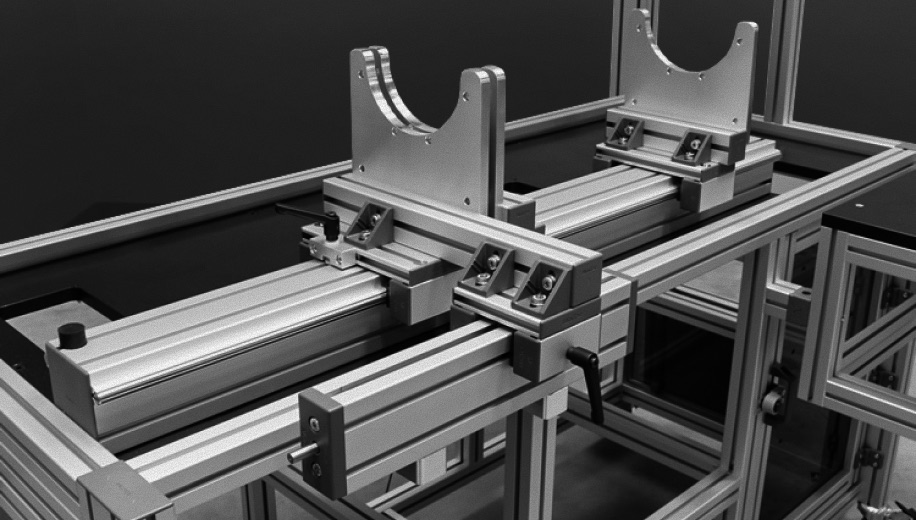
Modular workbenches, machine frames, guards, and industrial workstations.
Carts, racks, flow racks, workstations, and material-handling structures.
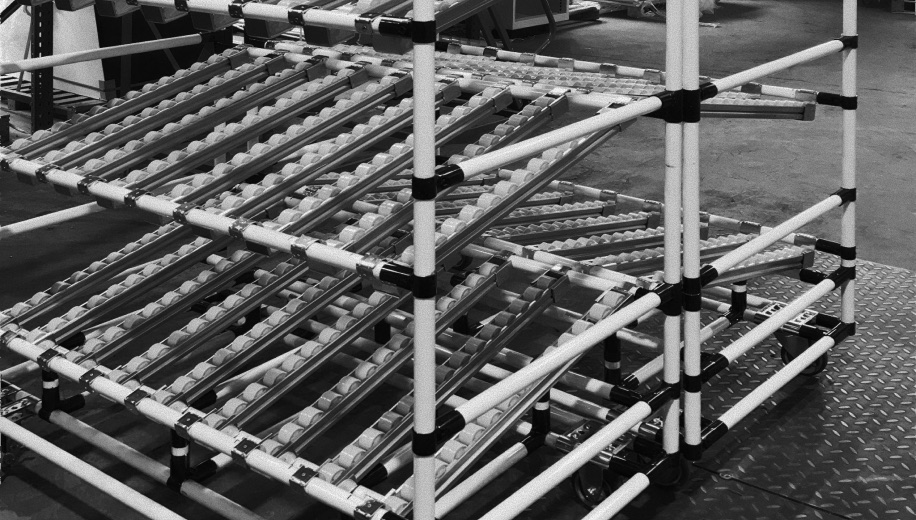
Carts, racks, flow racks, workstations, and material-handling structures.
Welded frames, steel tube structures, and fabrication workflows.

Welded frames, steel tube structures, and fabrication workflows.
Wall frames, timber structures, and configurable building components.

Wall frames, timber structures, and configurable building components.
Repeatable configurable structures for cells, guarding, frames, fixtures, and supports.

Repeatable configurable structures for cells, guarding, frames, fixtures, and supports.
Not designed for raw profile stock sellers, standalone e-commerce resellers, B2C DIY marketplaces, or generic CAD users.
Implementation
We map your product data, rules, pricing logic, and manufacturing constraints into a browser-based workflow your team can review before launch.
CAD models, parts, pricing, and processing rules.

Connection rules, constraints, defaults, and catalog logic.
Users create a complete 3D structure using your catalog, with product rules applied automatically
Your team checks BOMs, pricing, cuts, and edge cases.
Connect quote/order workflow, collect feedback, expand coverage.
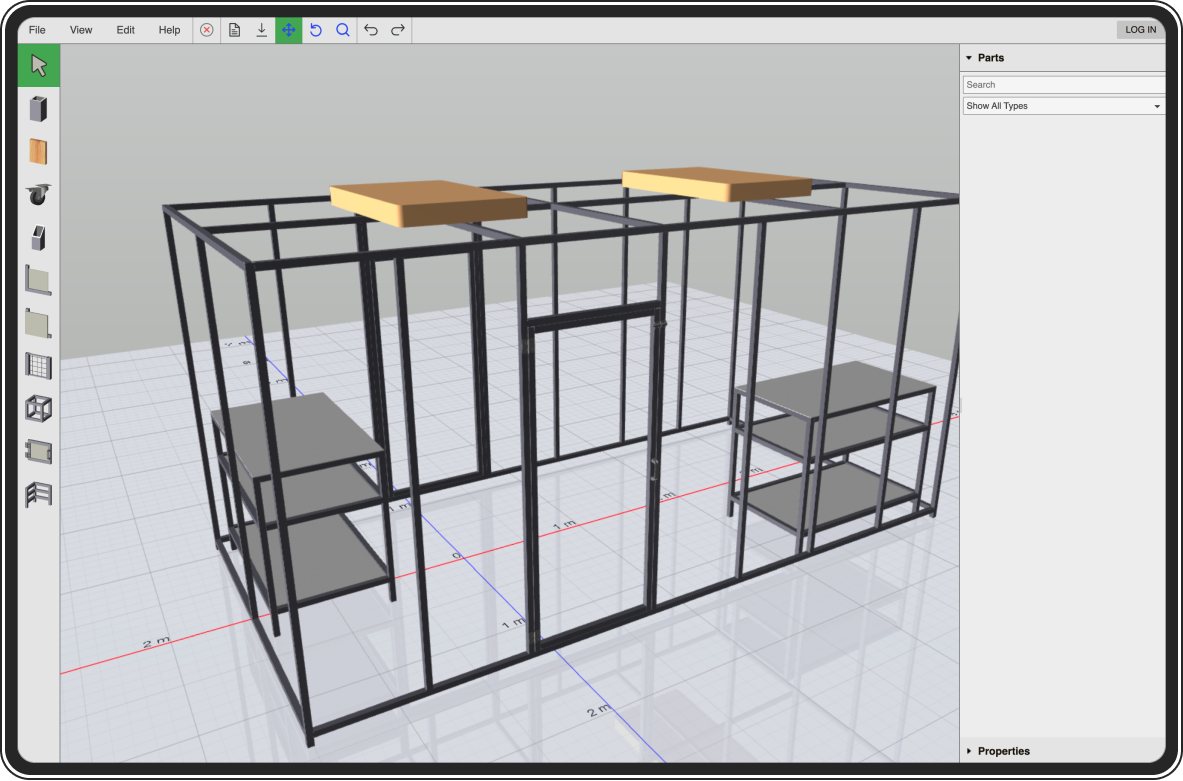
Built for real workflows

We turn your product data, configuration rules, pricing logic, and manufacturing constraints into a browser-based configurator your team can review before launch.
Built around actual parts, profiles, accessories, rules, and output requirements.
Your team reviews BOMs, pricing logic, cut data, and manufacturing rules before launch.
Configured for your catalog, required outputs, integrations, and intended users — whether customers or internal teams.
Alternative use case
For wood framing and welded steel, many materials and components follow common dimensions and specifications. We’re exploring a shared-catalog model where one design can combine equivalent products from multiple suppliers, with sourcing information carried through to the BOM.
Best suited to standardized, interchangeable products rather than proprietary product ecosystems.
How it works
A single design can combine materials and components from multiple suppliers
Lumber
Steel tubing
Hinges, wheels, hardware

Request a demo
We'll review your use case and respond within 24 business hours.
FAQ
Request a demo
Turn your catalog and manufacturing rules into a guided 3D workflow — from browser-based design to BOMs, cut lists, quote requests, and order-ready outputs.
Request Demo